
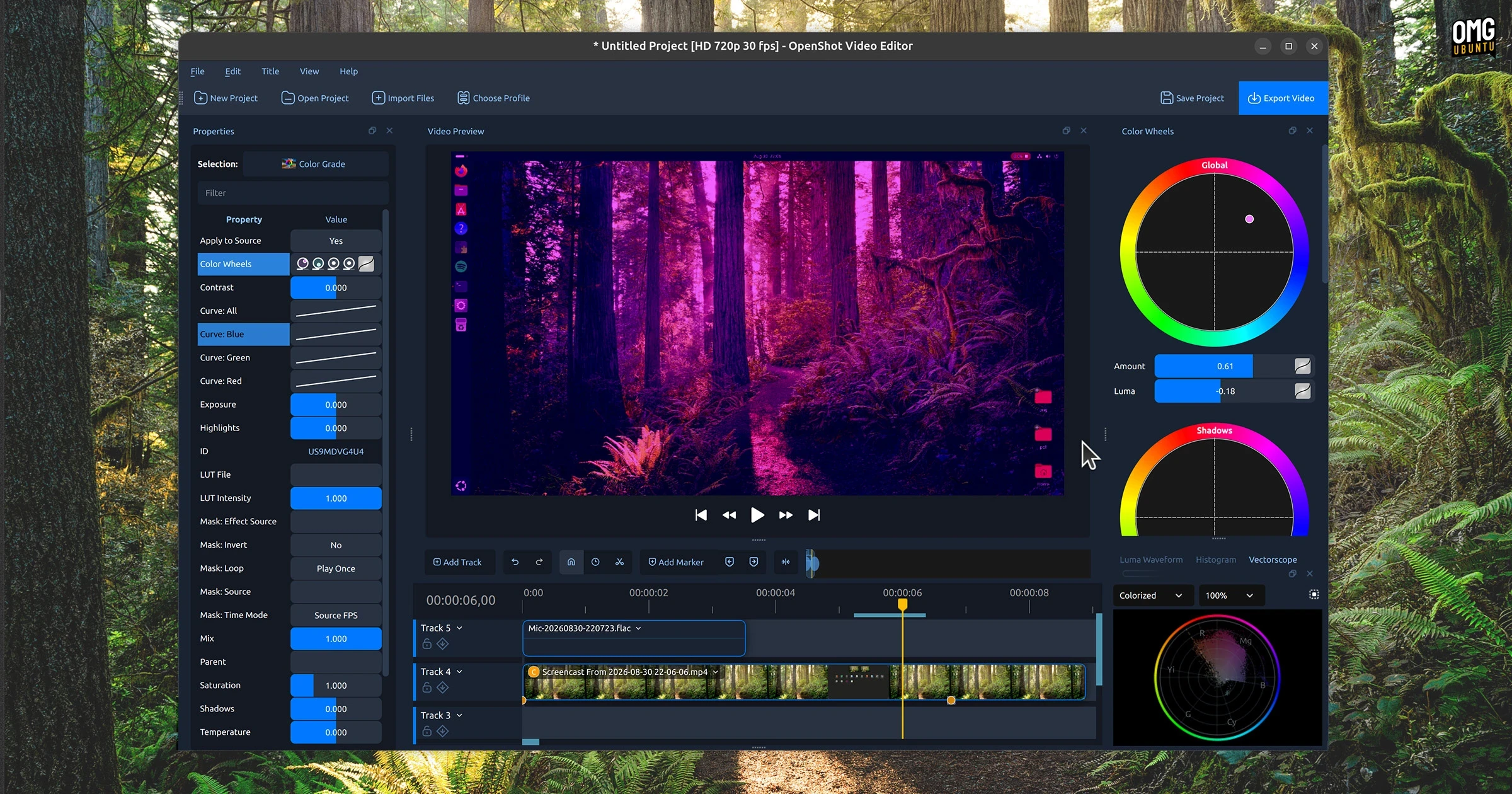
The popular open-source, Qt-based video editing tool OpenShot has officially expanded its reach within the Linux ecosystem by launching on the Canonical Snap Store. The official snap package went live, making the software readily accessible through the native App Center across all supported Ubuntu releases. This development represents a significant step forward for the project, simplifying the installation workflow for everyday users while introducing a reliable packaging format that bypasses some of the traditional hurdles associated with older Linux distributions and system dependencies.
Because the Ubuntu software archives already carry a traditional Debian package, users searching the App Center will currently notice two distinct results for the application. Despite this dual appearance, the arrival of the snap format introduces a distinct set of advantages, particularly for users managing long-term support (LTS) releases of Ubuntu. On older LTS systems, native software repositories often rely on older versions of the Qt framework. These aging libraries can sometimes create compatibility blocks or prevent users from utilizing official Personal Package Archives (PPAs) to access the bleeding edge of software development.
The introduction of the snap package effectively solves this dilemma by bundling necessary dependencies within a self-contained environment. This ensures that users on older operating system releases can still take full advantage of the most modern iterations of the video editor without having to upgrade their entire operating system or risk system instability through manual dependency resolution.
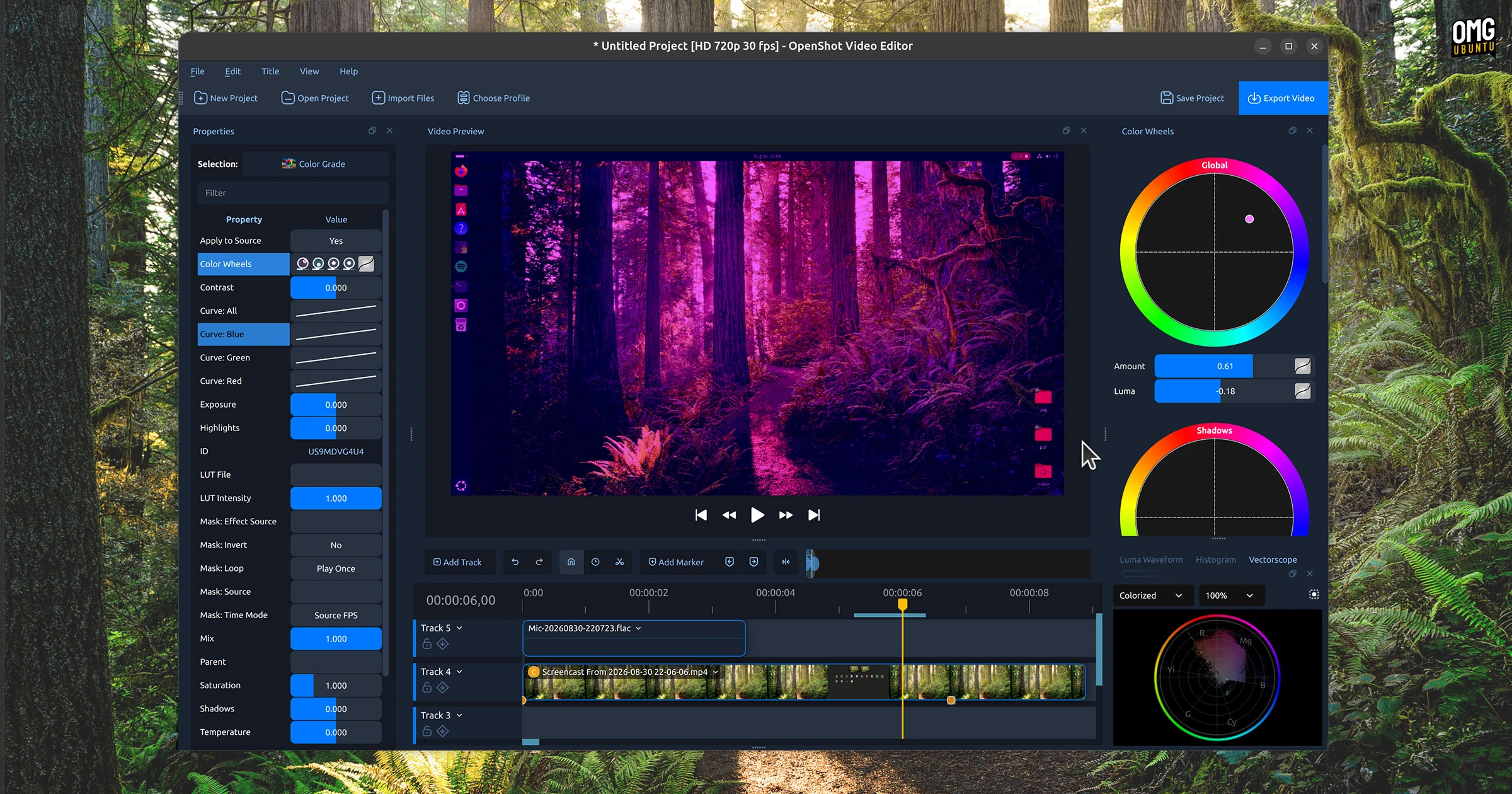
This packaging milestone arrives closely on the heels of the major OpenShot 4.0 release, which rolled out earlier. That substantial update introduced a comprehensive array of notable improvements designed to modernize the editing suite and expand its creative capabilities. Among the most anticipated additions were long-awaited professional colour grading tools, which give creators finer control over the visual tone and aesthetic of their footage. Furthermore, the release brought significantly better multitrack recording performance and deeper integration with ComfyUI, a cloud-based artificial intelligence service that opens up advanced AI-driven workflows for modern video production pipelines.
How to Install the OpenShot Snap Package
For users who prefer working directly from the command line, installing the newly minted snap package requires only a single, straightforward terminal command:
sudo snap install openshot-qt
However, because snap packages operate within a secure, sandboxed environment designed to isolate applications from the host system for enhanced security, the installation process requires a few post-installation steps before it can function as a completely seamless experience. Specifically, the sandboxed nature of the application means it does not automatically receive the system privileges required to interact with certain hardware components or external storage locations.
Out of the box, the application requires explicit user permission before it can access the system microphone, utilize a connected webcam, or open and save project files located on removable media or external hard drives. Granting these necessary permissions can be handled easily through the desktop environment by navigating to the system settings panel, selecting the applications menu, and adjusting the permissions granted to OpenShot. Alternatively, advanced users and system administrators can establish these permissions directly from the terminal by connecting the relevant system interfaces using standard command-line instructions to authorize audio recording, camera access, and removable media interaction.

The arrival of the snap package naturally raises questions regarding the future of the long-standing OpenShot PPA, though current indicators suggest that traditional distribution methods will remain unaffected. The OpenShot PPA has served the Ubuntu community for many years, providing a trusted alternative for users who prefer traditional package management over containerized formats like snaps or the official AppImage distribution. It continues to serve as a reliable channel for individuals who want ongoing updates without adopting the sandboxing paradigm.
Meanwhile, the broader Linux packaging landscape for OpenShot features other universal formats as well. While the application is currently available on Flathub, that particular listing remains an unverified package that has historically lagged behind official releases. At the time of this writing, the Flathub version has not yet been updated to incorporate the sweeping changes introduced in version 4.0. With the successful debut of the official package on Canonical’s Snap Store now complete, members of the open-source community are looking forward to the possibility of a formal, developer-supported Flathub release joining the ecosystem in the near future.