
Steam Frame Review Summary
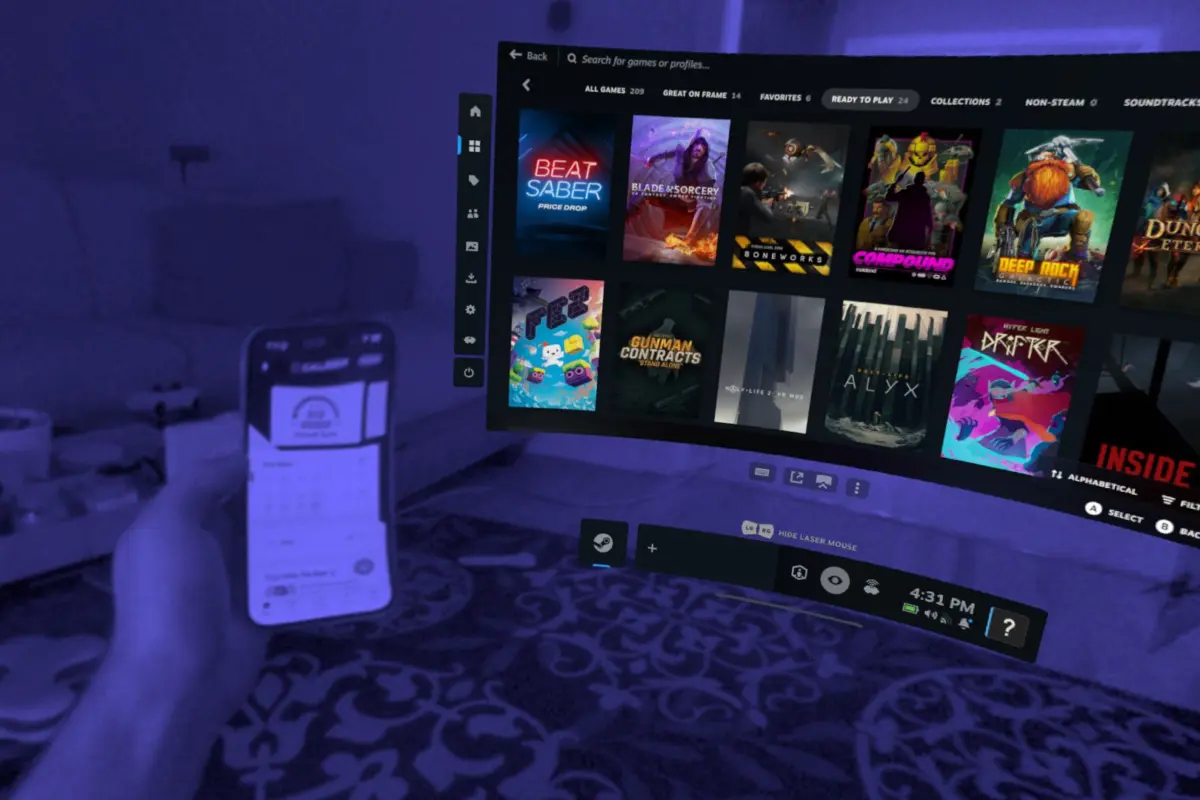
The Steam Frame is a unique piece of hardware that allows users to install and play virtually any flat or VR game directly from Steam, either in standalone mode or through PC streaming. In standalone mode, demanding or poorly optimized games remain largely unplayable due to mobile processing limitations. To help users navigate this, Valve introduced the "Frame-certified" program, which identifies games guaranteed to run well on the headset. Anything outside of this curated list is a venture into uncharted territory, though Valve leaves the door open for users willing to manually experiment with game and headset settings to find acceptable performance levels.

Overall, the Steam Frame is remarkably capable and expandable, but these strengths come at the expense of simplicity. It is tailored for power users and those comfortable tweaking settings to optimize their experience, making it a harder recommendation for VR newcomers or consumers who prioritize a plug-and-play setup.

When placed side-by-side with its natural market competitor, the Meta Quest 3, the Steam Frame offers similar visual performance and covers core features like streaming VR and flatscreen content from Steam. The ultimate purchasing decision therefore hinges on whether a buyer believes the Frame’s extra capabilities justify a $460 premium over the Quest 3’s $600 price point, bringing the Frame’s total to $1,060, while accepting a less polished user experience.

Visuals and Audio
Spec for spec, the Steam Frame aligns closely with the Quest 3 class of headsets. They share similar physical dimensions, comparable visual performance, and a nearly identical field of view. While the Quest 3 retains a slight edge in overall optical clarity and brightness, the Frame’s pancake lenses perform admirably, offering a massive upgrade for anyone transitioning from older Fresnel-generation hardware.

The Frame features a distinct advantage in weight distribution. At 435 grams, it is roughly 16% lighter than the 515-gram Quest 3, and its rear-mounted battery pack helps balance the load evenly across the head. Unfortunately, this ergonomic win is undermined by the omission of a top strap in the retail box. Valve sells the essential top strap as part of a separate $60 Ergonomic Accessories Kit, which also includes knuckles-style controller straps and an improved nose light blocker. Without the top strap, the Frame is only slightly more comfortable than the Quest 3; with it, the comfort gap widens significantly.

In the audio department, the built-in in-strap speakers deliver solid overall sound quality, though they lack a bit of punch in the bass frequencies. Users upgrading from the Valve Index will inevitably miss the legendary off-ear speaker design of Valve’s first headset, though that acoustic compromise applies to virtually every modern standalone headset on the market.

Display-wise, the Frame boasts a resolution slightly higher than the Quest 3, yet optical differences and software optimization mean that visual fidelity ultimately lands on par. On the tracking front, Valve’s first foray into inside-out tracking proves successful. Head and controller tracking exhibit minimal latency and high accuracy, with upper left and right cameras effectively covering traditional dead zones behind and above the user’s head.

PC Streaming and Standalone Capability
Valve has positioned the Frame’s standalone mode as a secondary feature, but it performs surprisingly well for well-optimized titles. While "Frame-certified" games offer guaranteed compatibility, users are free to install almost any Steam game locally. Titles optimized for the Steam Deck—particularly 2D top-down and side-scrolling games—frequently run well enough to enjoy, even without official certification.

For users seeking the highest possible fidelity, PC streaming provides the most reliable pathway. Valve includes a dedicated wireless USB dongle in the box that establishes a direct, low-latency connection between a gaming PC and the headset. This approach bypasses the potential Wi-Fi congestion that often plagues wireless PC VR on other devices, allowing the Frame to leverage "Multi-Link Streaming" by dynamically balancing packets between the dongle and the local home network.

Despite the robust connection technology, actual usage can occasionally feel unpolished. Reviewers noted instances of games failing to launch, hanging during loading screens, or unresponsive interface buttons. Additionally, battery life averages between one and 1.5 hours under mixed-use conditions, trailing behind the Quest 3’s standard two-hour lifespan.

A Power-User’s Playground
The Steam Frame distinguishes itself from competitors through its open architecture, modularity, and software flexibility. The entire facepad, strap, and battery assembly can be detached instantly via three small physical switches without requiring tools, paving the way for easier repairs and third-party modifications. Furthermore, the headset includes a MicroSD card slot for storage expansion and an accessory port beneath the nose bridge, which accommodates add-ons like the Arcturus Vision Camera for enhanced color passthrough.

Perhaps the most radical departure from traditional standalone VR is the inclusion of a full-fledged KDE Linux desktop environment. Accessible directly from the SteamVR dashboard, the desktop allows users to run traditional applications, manage local files, and browse the modern web using a full-featured Chrome browser. While navigating a standard desktop interface with a controller laser pointer requires some adjustment, the ability to launch Linux apps directly as SteamVR dashboard windows unlocks unique multitasking possibilities for developers and hobbyists.

Ultimately, the Steam Frame reflects its creators at Valve: a device engineered by and for tech-savvy developers, engineers, and dedicated members of the Steam ecosystem. While everyday consumers may view it as an expensive alternative to the Quest 3 with a mix of distinct advantages and software quirks, power users will find it to be a uniquely tweakable playground for VR and PC gaming experimentation.