
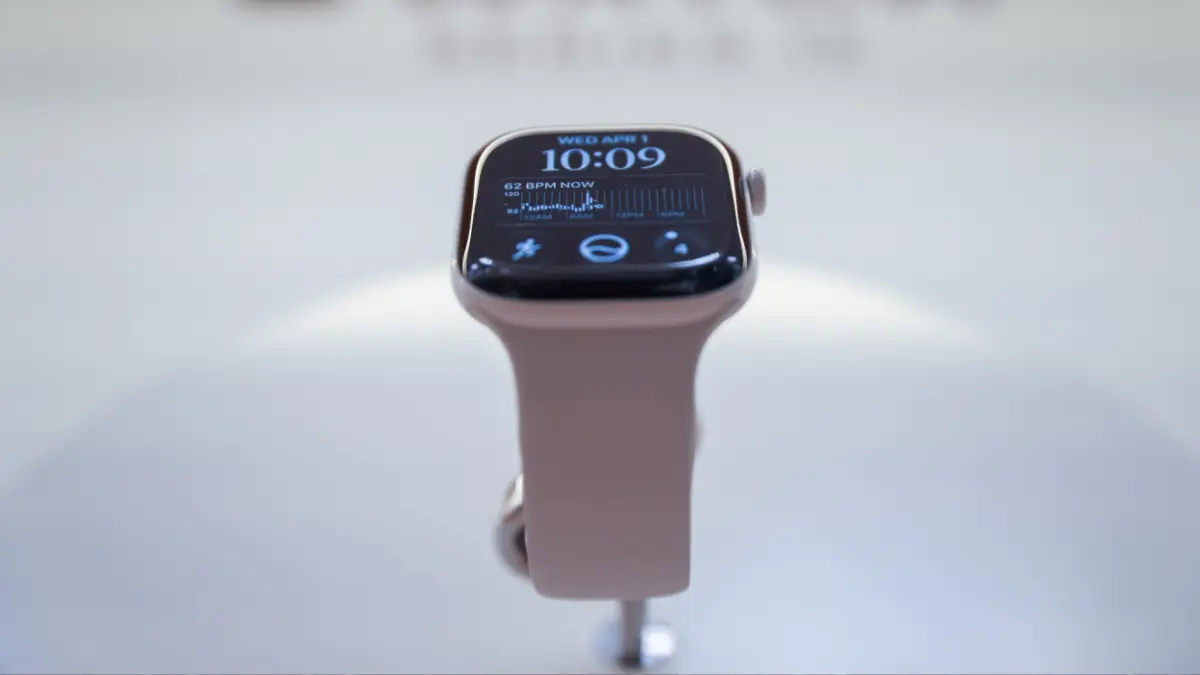
Apple has officially brought its advanced artificial intelligence platform to the wrist, integrating next-generation chatbot capabilities alongside the launch of its newest hardware lineup. Following a period of anticipation, early testers who have made it through Apple’s initial rollout waitlist are putting the revamped, AI-powered Siri through its paces. However, for fitness editors and everyday tech users testing the feature on the latest hardware, the experience of running an advanced language model directly from a smartwatch reveals a notable gap between corporate promises and day-to-day utility.
The deployment of Siri AI represents a significant push by Apple to decentralize its conversational intelligence, moving complex generative tasks from the pocket to the wrist. Yet, early hands-on testing suggests that while the technology points toward an ambitious future for wearable computing, its current implementation remains plagued by sluggish response times, unexpected application crashes, and inconsistent performance compared to its smartphone counterpart.
What Devices Have Siri AI?
Accessing the newly upgraded conversational assistant is not merely a matter of downloading a software update; it requires specific hardware alignment within the Apple ecosystem. Because Siri AI relies heavily on the advanced architecture of Apple Intelligence, users must possess compatible devices across their product lines.
For iPhone owners, this means using an iPhone 15 Pro or a newer model. On the wearable side, compatibility is restricted to the Apple Watch Series 9 and newer generations, alongside the newly released Apple Watch Series 12. Crucially, utilizing the feature on a smartwatch requires a dual-device ecosystem: users must have both a supported watch and a supported phone operating in tandem. Pairing a brand-new watch with an older phone model will not unlock the capability.
During recent testing with a setup running iOS 27.2 developer beta on a supported iPhone and watchOS 27.0 on an Apple Watch Series 12, enabling Siri AI through the iPhone’s settings menu placed the user into a digital waiting list. After a brief wait of several days, a system notification confirmed access, allowing the testing phase to begin.
Siri AI on the Apple Watch Is Occasionally Useful, But Mostly Disappointing
Once activated on the wrist, the upgraded assistant was subjected to a series of everyday queries to evaluate how well a generative AI model handles quick, context-dependent requests on a small screen. The results immediately highlighted the friction points of bringing heavy language-processing tasks to a wearable device.
When asked to locate the nearest yoga studio, the watch-based assistant responded with a list of locations, none of which were geographically close to the user’s home. It required multiple rephrased prompts before the system finally surfaced a studio located roughly a mile away. This interaction underscored a growing frustration among users: utilizing an AI chatbot for local search queries can frequently prove less efficient than a standard web search or even the older, more deterministic iterations of Siri. When the same geographical question was posed to the previous Siri model, it instantly identified the closest option without requiring conversational gymnastics.
Further testing involving standard queries recommended on Apple’s official watchOS documentation page revealed a similarly mixed performance profile, highlighting a distinct variance between how commands are processed locally on the wrist versus the more robust computing power housed within the user’s smartphone.
Siri AI Sometimes Performed Well on the Apple Watch, But Seemed to Do Better on My iPhone
To provide a fair assessment, the assistant was tested with specific tasks that other early adopters had flagged as potential pain points. Basic productivity commands performed surprisingly well. Requests such as setting a five-minute timer or checking the daily weather forecast executed almost instantly, showing that fundamental native integrations remain responsive and stable.

However, challenges arose when testing the system’s advertised ability to scan personal data repositories—such as emails and messages—to pull relevant context into a conversation. On the Apple Watch, this capability fell short of expectations. When asked to recall what a family member had recently requested via text, the assistant correctly identified a wish list of toy sets sent on a specific date. Yet, it entirely missed a separate request for a makeup kit sent the following day, requiring the user to explicitly prompt the assistant about the missing item before it could locate the data.
In contrast, the iPhone version of Siri AI successfully aggregated both requests into a single, comprehensive initial response without requiring follow-up prompting. A similar discrepancy appeared when testing conversational memory regarding shared contact information. While the watch version could retrieve a specific phone number from a text thread, it failed to deduce the identity of the person who had requested it earlier in the chat—a deduction that the iPhone version managed effortlessly, even though the name was not stored in the user’s contacts list.
Where Siri AI Struggles on the Apple Watch
Beyond data retrieval inconsistencies, a significant portion of everyday requests either failed outright or suffered from systemic software instability. The watch’s Siri application demonstrated a frustrating tendency to crash unexpectedly, abruptly ejecting the user back to the main watch face mid-query. Audio feedback also proved erratic at times, with the synthetic voice occasionally breaking up and interrupting itself to restart sentences entirely.
Latency emerged as another primary hurdle. Many complex requests required five to ten seconds of processing time, a duration long enough for a user to simply pull out their smartphone and find the information manually. When the assistant found itself stumped by a nuanced query, it frequently defaulted to generating a dense block of web search text that proved entirely unhelpful on a compact display.
For instance, when asked to explain the function of a specific gray icon visible on the watch screen in real time, the assistant ignored the visual context entirely. Instead of clarifying its inability to view the live display, it recited generic text from the internet detailing what gray icons generally signify as a concept. Another attempt to resume a podcast app resulted in the assistant incorrectly reading out a random episode title from a true-crime show the user had never listened to, while the iPhone version immediately launched the correct audio application.
Minor bright spots did exist; the watch version managed to accurately report historical sleep tracking times—such as exact bedtimes and wake-up times—even when it claimed to have no broader data on sleep stages. Furthermore, the newly introduced Conversations interface, designed to showcase recent chat threads upon pressing the digital crown, largely remained blank, displaying "No conversations" throughout most of the test period despite active, continuous usage of the assistant throughout the day.
Still a Work in Progress
The underlying vision for an advanced, conversational assistant accessible directly from the wrist remains compelling. The ability to engage in multi-turn conversations and interrupt the chatbot mid-sentence to narrow down parameters—such as specifying exact workout exercises rather than receiving generic fitness advice—shows genuine promise for the future of wearable AI.
At the same time, the reality of running a resource-heavy language model on current smartwatch hardware introduces substantial friction. Prolonged waiting periods, unexpected application crashes, and a surprising inability to seamlessly access local device data combine to make the current implementation a frustrating experience for early adopters. Users looking for a flawless transition from smartphone AI to the wrist will likely need to wait for subsequent software updates to iron out these persistent performance bottlenecks.