
The ever-widening capabilities of the modern web platform are allowing development teams to significantly trim down their project dependencies. As modern browsers continuously ship native features that once required external JavaScript libraries, a typical mid-sized web application can often shed between 60KB and 90KB of minified and gzipped dependencies that the browser can now handle entirely on its own. Tasks such as date and number formatting, HTTP requests, modal dialogs, tooltips, deep cloning, and array grouping—all of which represented real development gaps a few years ago—are increasingly built directly into the web platform.
Industry observers note that these redundant libraries rarely linger in codebases due to developer laziness. Instead, most engineering teams simply fail to re-audit their package.json files on a regular cadence or remain unaware of the rapid pace at which modern browser engines are shipping native solutions. While routine maintenance checks like npm audit routinely scan for security vulnerabilities, developers rarely ask whether a given library is still performing a task that the browser can handle natively. As a result, unnecessary packages accumulate over time, adding bloat to application bundles and increasing download times for users.
What Baseline Actually Means for Dependency Audits
To determine when it is safe to drop external dependencies, developers increasingly rely on the concept of Baseline, a project from the WebDX Community Group that provides clear indicators on how safe a web feature is to use across all major browser engines, including Chrome, Edge, Firefox, and Safari. Features generally progress through stages, moving from newly available to widely available across the entire browser ecosystem over a typical window of roughly thirty months.
This maturation timeline is critical for dependency audits. A feature that has reached widespread availability can generally be adopted immediately as a direct replacement for an external library. Meanwhile, features that are only newly available require teams to evaluate their specific audience demographics or implement lightweight feature checks to ensure compatibility with older client environments. Resources such as webstatus.dev and MDN documentation provide visibility into these statuses, allowing engineering teams to make informed decisions about their production bundles.

Evaluating the Impact Across Key Functional Clusters
Rather than auditing individual packages in isolation, performance experts recommend evaluating dependencies in functional clusters, as optimization wins frequently appear in groups. The most immediate reductions are typically found in internationalization packages. The browser’s native Intl namespace now ships with a robust family of formatting tools that render small, popular libraries entirely unnecessary.
For instance, libraries designed to convert timestamps into relative text such as "3 hours ago" can be replaced directly by Intl.RelativeTimeFormat, which is widely available across modern browsers. Similarly, native tools like Intl.NumberFormat, Intl.ListFormat, and the newly available Intl.DurationFormat cover complex numerical formatting, currency display, list joining with Oxford commas, and precise time duration rendering without requiring external codebases. Developers utilizing a full suite of traditional internationalization tools can frequently eliminate roughly 14KB of gzipped dependencies in a single pass.
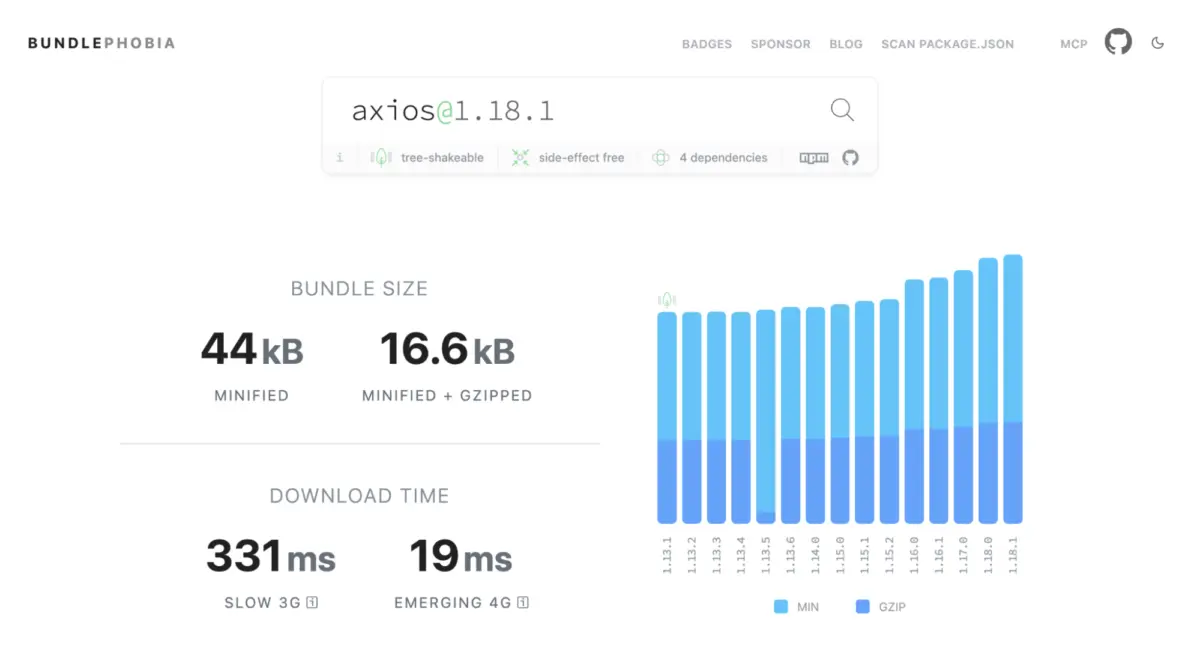
HTTP client libraries represent another area where native browser features offer viable alternatives. While popular packages like Axios and Superagent offer extensive feature sets, the native fetch API combined with modern additions like AbortController and AbortSignal.timeout() can handle standard network operations out of the box. Although native implementations require developers to be more explicit—such as manually parsing JSON responses—dropping heavy third-party HTTP clients in favor of a lightweight native wrapper can save approximately 17KB of gzipped bundle size for applications with standard data-fetching requirements.
Modern UI Primitives and Native JavaScript Utilities
User interface development has also transformed significantly with the widespread adoption of native browser features designed to solve complex interaction and accessibility challenges. Historically, developers relied on a constellation of third-party packages to handle focus trapping, background scroll locking, modal positioning, and dropdown dismissals. Today, platform features such as the native HTML dialog element, the Popover API, and CSS anchor positioning handle these requirements natively.

The <dialog> element, for example, natively manages focus redirection, background inertness, escape-key closures, and top-layer rendering without requiring separate accessibility and focus-trap libraries. Combined with modern CSS capabilities that manage body scrolling and element positioning relative to trigger buttons, these native primitives allow teams to retire multiple specialized UI packages that collectively account for approximately 24KB of gzipped code. Furthermore, these native solutions often provide superior accessibility defaults compared to hand-rolled or third-party component implementations.
Utility libraries like Lodash have also seen their core functionality absorbed by native JavaScript enhancements. Functions traditionally imported via standalone packages—such as deep object cloning, array grouping, and set operations—now have direct equivalents in the language specification and global prototypes.
Methods like structuredClone, Object.groupBy, Map.groupBy, and native set methods for intersection, union, and difference execute these operations natively with high performance. Dropping packages dedicated to deep cloning and grouping alone can eliminate roughly 8KB of gzipped code, while allowing teams to retain specialized utility functions like debouncing and throttling that still lack native equivalents.
Knowing When to Wait: The Case of Temporal
Despite the rapid expansion of native browser capabilities, the audit framework emphasizes that developers should not engage in indiscriminate code removal. Certain modern platform features require careful evaluation before adoption, particularly when browser support remains incomplete.

A prime example is the long-awaited Temporal API, designed to replace JavaScript’s legacy Date object with immutable structures and robust time zone handling. While the specification has advanced significantly and reached major browser engines, it has not yet achieved universal stability across all platforms. Because complete native support is still emerging, adopting Temporal today typically requires bundling a substantial polyfill.
Measurements show that including the official polyfill can add between 19KB and 44KB of gzipped code to an application bundle—significantly heavier than lightweight third-party date libraries like Day.js. Consequently, the decision framework advises teams to retain their current date utilities temporarily, keeping a close watch on browser release cycles until native support reaches widespread baseline availability.
As web standards continue to evolve, routine dependency audits are becoming a standard practice for maintaining lean, high-performance web applications. By systematically reviewing project manifests against current platform capabilities, engineering teams can continuously reclaim valuable bundle size, reduce unnecessary network overhead, and deliver faster experiences to users worldwide.