
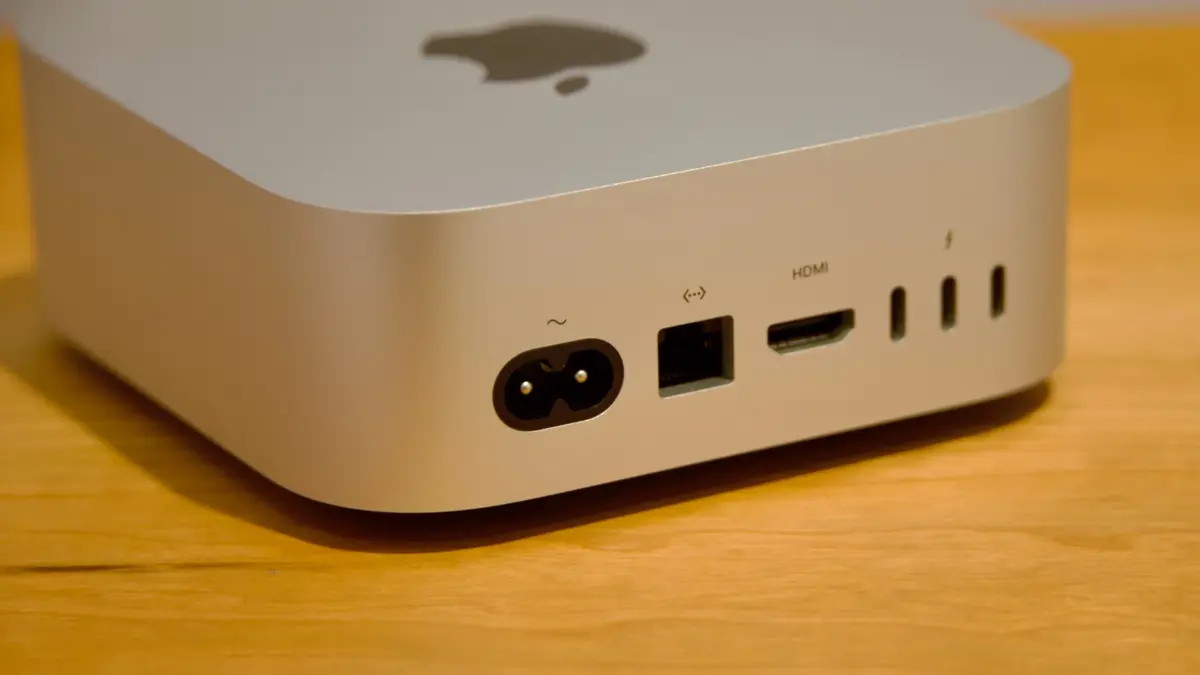
For years, Apple’s Mac mini has occupied a unique and vital niche in the personal computing landscape. As the company’s most accessible desktop, it has traditionally offered an entry point into the macOS ecosystem without forcing users to pay the premium associated with integrated displays. When Apple redesigned the machine in late 2024 with the M4 processor, it was hailed as a triumph of value and design. Starting at just $599, the M4 Mac mini was widely considered one of the best hardware deals Apple had ever offered.
However, the technology landscape of 2026 has introduced new challenges. Driven by an unprecedented global memory crunch, the standard operating procedure for annual product refreshes has been disrupted. The latest iteration of the Mac mini, powered by Apple’s brand-new M6 chip, represents a familiar hardware update cycle: the exact same external design housing significantly upgraded internal components.
Yet, while the technological leap forward is undeniable, the financial reality of this upgrade is difficult to ignore. The new base-model M6 Mac mini starts at $899 for a configuration with 16GB of unified memory and a 256GB solid-state drive. This represents a substantial $300 price increase over its immediate predecessor for the exact same memory and storage capacities. While the M4 Mac mini was celebrated as both an exceptional general-purpose computer and an unparalleled bargain, its successor can only claim the former distinction.
Design
Because Apple introduced a ground-up redesign for the Mac mini during the M4 generation—marking the desktop’s first major aesthetic overhaul in nearly fifteen years—the external chassis remains completely unchanged for the M6 generation.
The device retains its ultra-compact, aluminum square footprint, measuring exactly 5 by 5 inches. While it stands slightly taller than older Intel and M1/M2-era models at 2 inches (compared to the historical 1.4 inches), the reduced desktop footprint makes it incredibly unobtrusive. To ensure sustained performance under heavy workloads, the system features active cooling, utilizing a subtle circular fan vent located on the bottom of the chassis. This thermal design allows the internal silicon to run at high clock speeds indefinitely, avoiding the thermal throttling that occasionally limits fanless designs like the MacBook Air.
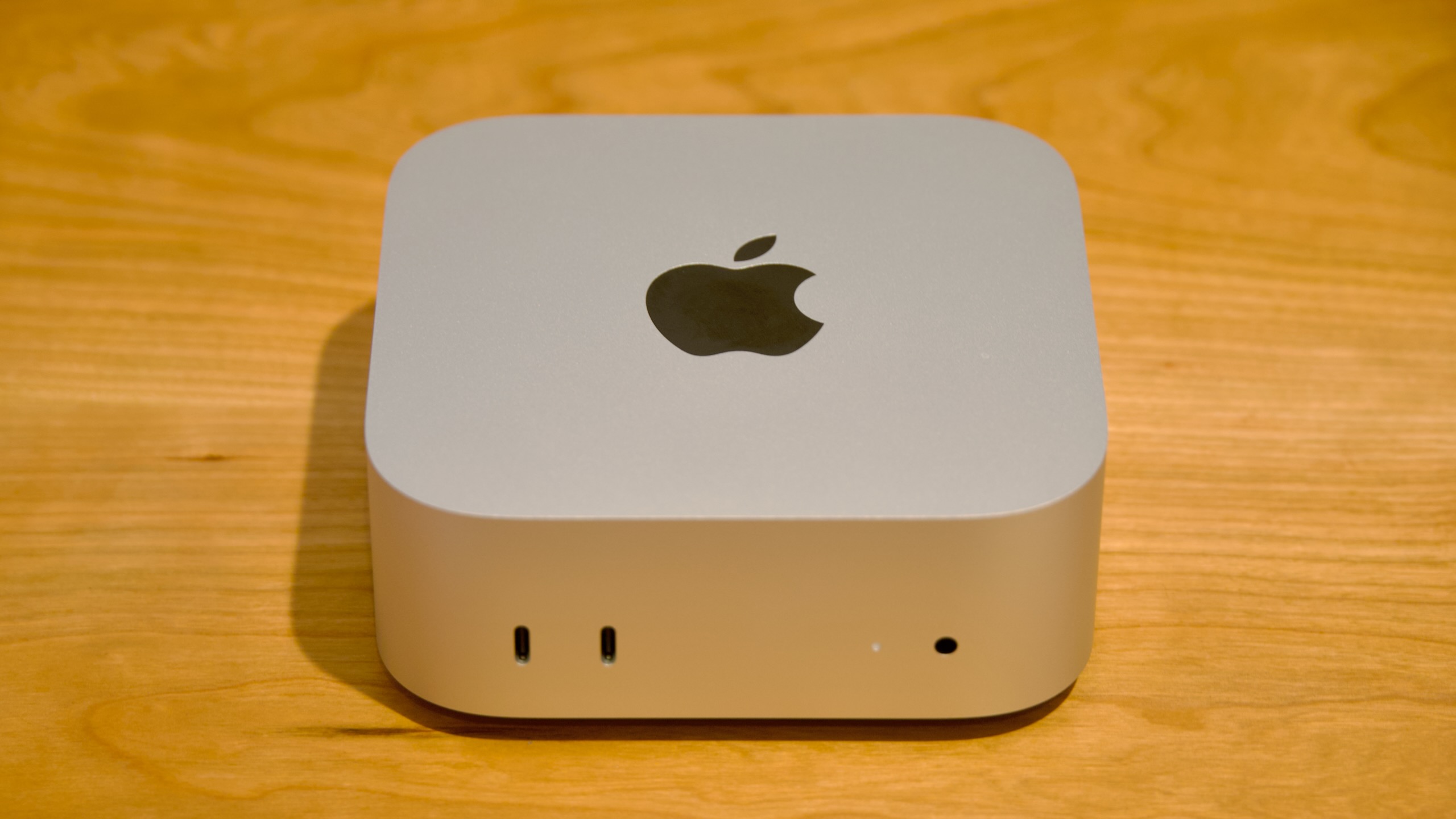
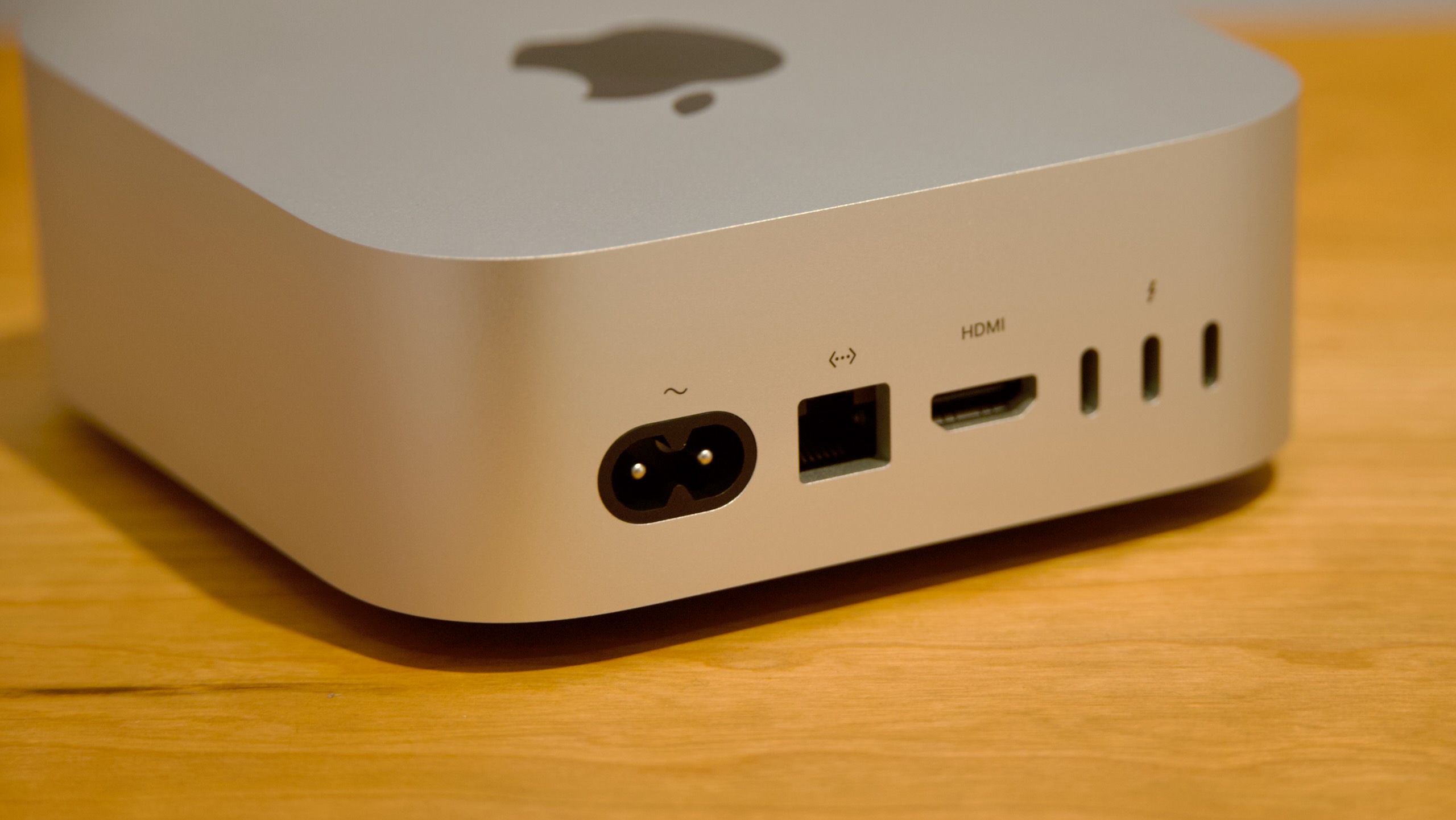
The distribution of input and output ports remains highly practical for a desktop of this scale. On the front of the machine, users will find two convenient 10 Gbps USB-C ports alongside a standard 3.5mm headphone jack. The rear panel houses a power connector, an HDMI port, a Gigabit Ethernet port (which defaults to 2.5 Gbps but can be upgraded to 10 Gbps at purchase), and three high-speed Thunderbolt ports.
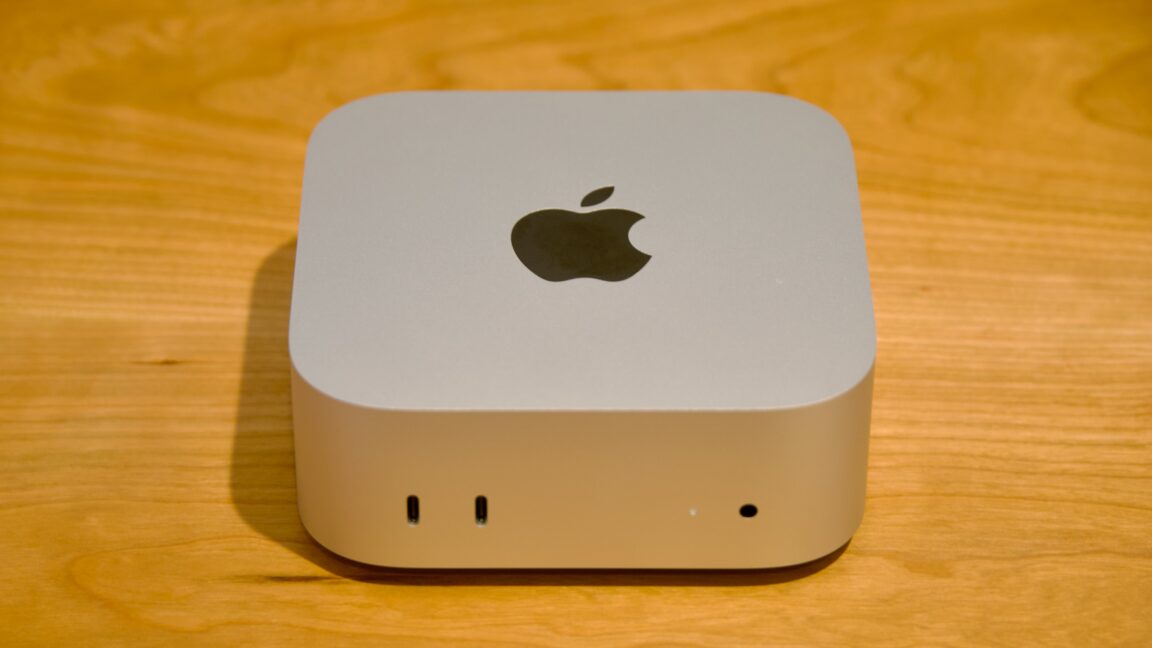
However, a key distinction exists between the standard M6 model and the more expensive M5 Pro version. The M6 Mac mini features Thunderbolt 4 ports, which top out at a maximum bandwidth of 40 Gbps. In contrast, the M5 Pro variant supports the newer Thunderbolt 5 standard, enabling transfer speeds of up to 120 Gbps.
While average users may struggle to fully utilize 120 Gbps of bandwidth—particularly since Apple does not support external graphics cards (eGPUs)—the inclusion of Thunderbolt 5 on the Pro model has niche benefits. Notably, Thunderbolt 5 is required to daisy-chain multiple Mac computers together to build a localized compute cluster. For developers or researchers looking to link a Mac mini with an existing M5 Pro or M5 Max MacBook Pro, this port difference is an important purchasing consideration.
The only lingering design frustration is the placement of the physical power button, which remains on the bottom-rear corner of the chassis. While this is rarely an issue for users who prefer to let their computers sleep rather than shut down entirely, it presents a practical nuisance when pairing the computer with an external Apple keyboard featuring Touch ID. Initiating the Touch ID sensor for the first time after boot or system lock requires a quick double-tap of the Mac’s physical power button, forcing users to awkwardly tilt the device to reach the switch.
Meet the M6
The debut of the M6 processor inside the Mac mini marks the first time Apple has introduced a baseline M-series generation with this specific chip architecture. The M6 represents the most radical structural shift in Apple’s entry-level silicon since the M4 generation introduced additional efficiency cores.
The architectural highlight of the M6 is the inclusion of two "Super" cores—Apple’s proprietary designation for high-performance CPU cores designed to outpace standard performance cores. To build the M6, Apple has paired these two Super cores with four traditional Performance (P) cores and six Efficiency (E) cores, resulting in a 12-core CPU configuration.
To understand how this design fits into Apple’s silicon lineage, it is helpful to look back at previous generations:
- Apple M6: 12 CPU cores (2 Super cores, 4 Performance cores, 6 Efficiency cores), 12 GPU cores, and memory bandwidth of 153 GB/s (for the 16GB model) or 170 GB/s (for the 24GB and 32GB models).
- Apple M5: 10 CPU cores (4 Super cores, 6 Efficiency cores), 10 GPU cores, and a memory bandwidth of 153 GB/s.
- Apple M4: 10 CPU cores (4 Performance cores, 6 Efficiency cores), 10 GPU cores, and a memory bandwidth of 120 GB/s.
- Apple M3: 8 CPU cores (4 Performance cores, 4 Efficiency cores), 10 GPU cores, and a memory bandwidth of 102.4 GB/s.
- Apple M2: 8 CPU cores (4 Performance cores, 4 Efficiency cores), 10 GPU cores, and a memory bandwidth of 102.4 GB/s.
- Apple M1: 8 CPU cores (4 Performance cores, 4 Efficiency cores), 8 GPU cores, and an estimated memory bandwidth of 68.25 GB/s.
While the M6 features fewer Super cores than the M5, the addition of four traditional Performance cores ensures that its multi-threaded capabilities comfortably exceed those of its predecessor.
This three-tier CPU architecture (Super, Performance, and Efficiency cores) is a first for Apple Silicon. To prevent potential scheduling complications within macOS, the operating system’s internal management utilities treat the M6 as a dual-cluster processor. The system’s diagnostic tool, powermetrics, reveals that the six E-cores are grouped into a single cluster, while the two Super cores and four Performance cores are combined into a single six-core "PS cluster."
Software-level analysis via the sysctl utility shows that both the Performance and Super cores in the M6 operate along the exact same frequency range, scaling from a minimum of 1.44 GHz to a peak clock speed of 4.79 GHz. This differs from the M5 Pro and M5 Max chips, where different core types operate in separate clusters with independent clock boundaries. Furthermore, the Performance and Super cores in the M6 share a single 20MB pool of L2 cache, which is an increase from the 16MB L2 cache found in the M5’s Super cluster. The Efficiency core cluster also receives a cache upgrade, moving to 8MB of shared L2 cache from the M5’s 6MB.
Despite sharing clock speeds and L2 cache pools, the Super cores remain physically distinct from standard Performance cores. The Super cores feature a larger L1 cache configuration, consisting of 192KB of instruction cache and 96KB of data cache, compared to the 128KB of instruction cache and 64KB of data cache found on the standard Performance cores. The Efficiency cores, by comparison, carry 160KB of instruction cache and 128KB of data cache.
On the graphics side, the M6 increases its GPU core count to 12 cores, up from the 10-core standard maintained since the M2. These GPU cores incorporate upgraded neural accelerators, first introduced in the M5 generation, which are designed to accelerate hardware-level ray tracing and MetalFX upscaling. Additionally, Apple has equipped the M6 with a "Dual 16-core Neural Engine," which effectively functions as a 32-core array to speed up localized machine learning and artificial intelligence tasks.
Memory bandwidth also sees an upgrade depending on the configuration. While the entry-level 16GB model of the M6 Mac mini operates at the same 153 GB/s bandwidth as the M5, upgrading to the 24GB or 32GB memory configurations unlocks a wider bus yielding 170 GB/s. This 11 percent increase in memory bandwidth provides a marginal boost to graphics-heavy applications and local AI model execution.
Industry analysts, including Bloomberg’s Mark Gurman, suggest that the M6 may occupy a unique space in Apple’s hardware history. Reports indicate that Apple may not release M6 Pro, M6 Max, or M6 Ultra variants. Instead, the company is rumored to be planning a direct jump to M7 branding for its higher-tier systems.
This decision is likely driven by manufacturing constraints. The M6 is built using Taiwan Semiconductor Manufacturing Company’s (TSMC) cutting-edge 2-nanometer process node. Because early production capacity on 2nm wafers is highly competitive and expensive, Apple appears to be prioritizing smaller, less complex chips like the baseline M6, while reserving larger, multi-die architectures for a later date when production yields improve and costs stabilize.
Performance
Apple’s rollout strategy for the new Mac mini mirrors the approach used for the Mac Studio. The baseline models feature the brand-new M6 chip, while the higher-end configurations utilize the M5 Pro, which debuted in MacBook Pros earlier in the year.
As a result, the cheaper M6 model actually features a newer architectural generation than the more expensive M5 Pro model. In single-core CPU benchmarks, the M6 is roughly 8 to 10 percent faster than the M5 family, benefiting from architectural refinements in the Super cores. Graphics performance also sees a steady 10 percent improvement over the previous generation, while multi-core CPU benchmarks show the M6 outpacing the standard M5 by roughly 20 percent.
However, for workloads that rely heavily on parallel processing, sheer core count still triumphs over architectural generation. The M5 Max (which shares the same 18-core CPU block as the M5 Pro and serves as a reliable performance proxy) remains 60 to 70 percent faster than the baseline M6 in highly multi-threaded benchmarks.
When compared to the older M4 Mac mini, the M6 represents a massive leap forward. Single-core CPU performance is 20 to 30 percent faster, while multi-core CPU and graphics performance show gains between 50 and 80 percent. In highly specialized rendering tests like the Blender benchmark, the M6 nearly matches the performance of the M4 Pro and beats the standard M5 by roughly 40 percent. This specific jump highlights the efficiency of the GPU’s integrated neural accelerators when handling complex rendering pipelines.

One minor roadblock in performance analysis involves Apple’s software reporting tools. In previous reviews, the built-in macOS utility powermetrics was used to estimate real-time CPU and GPU power draw. On the M6, however, the tool currently reports a CPU power consumption value of "0" at all times, though GPU power logging continues to function normally. It remains unclear whether this is a temporary software bug or an intentional diagnostic change in Apple’s 2nm silicon.
About that price
The appeal of the M4 Mac mini lay in its accessibility. At $599, it was a highly capable, modern computer with sufficient memory and processing power for everyday tasks, office work, and light creative projects. While some users critiqued the 256GB base storage capacity, the overall package was incredibly competitive.
The M6 Mac mini’s $899 starting price significantly alters this dynamic. A $300 price increase over the course of two years is difficult to reconcile for a desktop computer that, outside of its processor, offers an identical physical design, the same port layout, and the same entry-level storage capacity.
Historically, this pricing aligns closely with the M1 Mac mini era in 2020, where a base machine cost $699 and upgrading from the default 8GB of RAM to 16GB required an additional $200, bringing the total to $899. However, after the breakthrough pricing of the M4 generation, returning to an $899 entry point feels like a step backward for consumer value.
For consumers who require a compact macOS desktop immediately, the M6 Mac mini remains the most affordable entry point into the lineup. It handles daily tasks with ease, and its expanded GPU and Neural Engine capabilities make it a surprisingly competent machine for running local, lightweight AI models. However, when compared to the highly competitive landscape of budget Windows-based mini PCs, the premium price of the M6 Mac mini is a much harder pill to swallow than it was just two years ago.